Press kit
Everything here may be used freely in coverage of WAVScribe and WAVScribe Viewer. Contact: news@wavscribe.com
Press release
WAVScribe, a batch WAV metadata editor for Windows, is now available
One-time purchase, 7-day full trial, free companion Viewer
KAOHSIUNG, Taiwan - October 20, 2026 - WAVScribe 1.0, a Windows batch WAV metadata editor for sound designers, field recordists, game audio, and audio professionals, is now available at wavscribe.com. It is a one-time purchase of US$99, with a 7-day trial of the full application.
WAVScribe writes BWF/bext, iXML (including the ASWG and Steinberg extensions), XMP, LIST/INFO and ID3v2 metadata in one pass. A field filled once is written to every place in the file where other tools look for it, so the information travels with the file. The same edit can be applied to one file or to several folders. Batch processing has been tested at 101,000 files.
Batch tools include a Batch Edit dialog, find and replace with regex, saved templates with overwrite or fill-empty modes, and a spreadsheet round-trip that exports 88 columns to XLSX or CSV for editing and brings metadata and filename changes back in one pass, with a color-coded preview before anything is written. The Universal Category System v8.2.1 is built in and fully optional, with all 753 category entries, CatID auto-population and a UCS batch renamer.
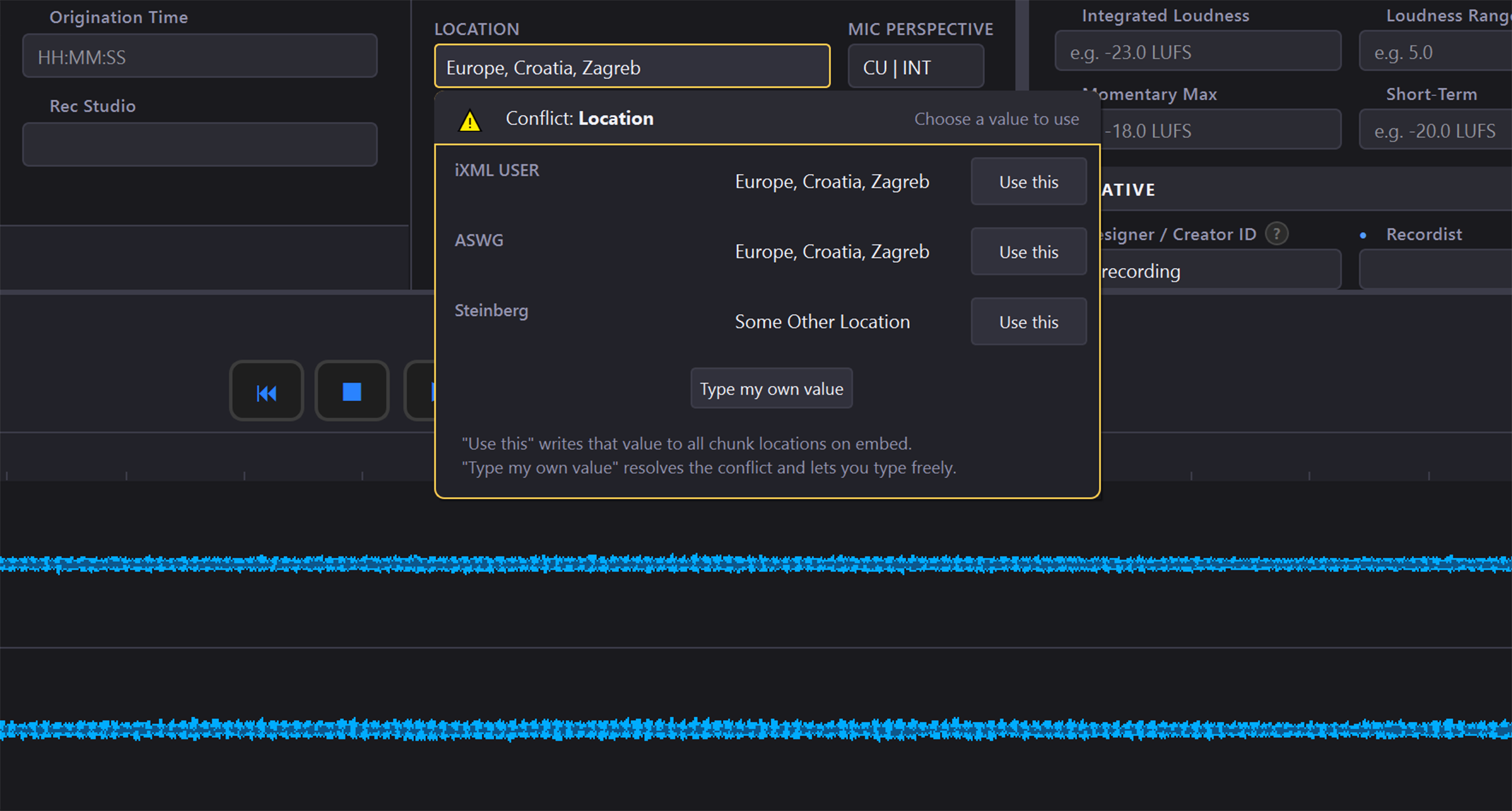
Conflict detection flags fields that carry different values in different chunks, shows them side by side, and lets the user choose which value wins. Saves are all-or-nothing: either the new metadata is written cleanly or the original file is left exactly as it was. Chunks WAVScribe does not edit pass through untouched. Standard WAV and RF64/BW64 files are supported.
“I built it when I couldn’t find anything to embed metadata that sat between the free tools and a full library manager,” said Glenn, the developer. “I simply wanted something for managing metadata and nothing else. The free apps didn’t work for me and I couldn’t justify the cost of a library manager. So I built what the market did not offer.”
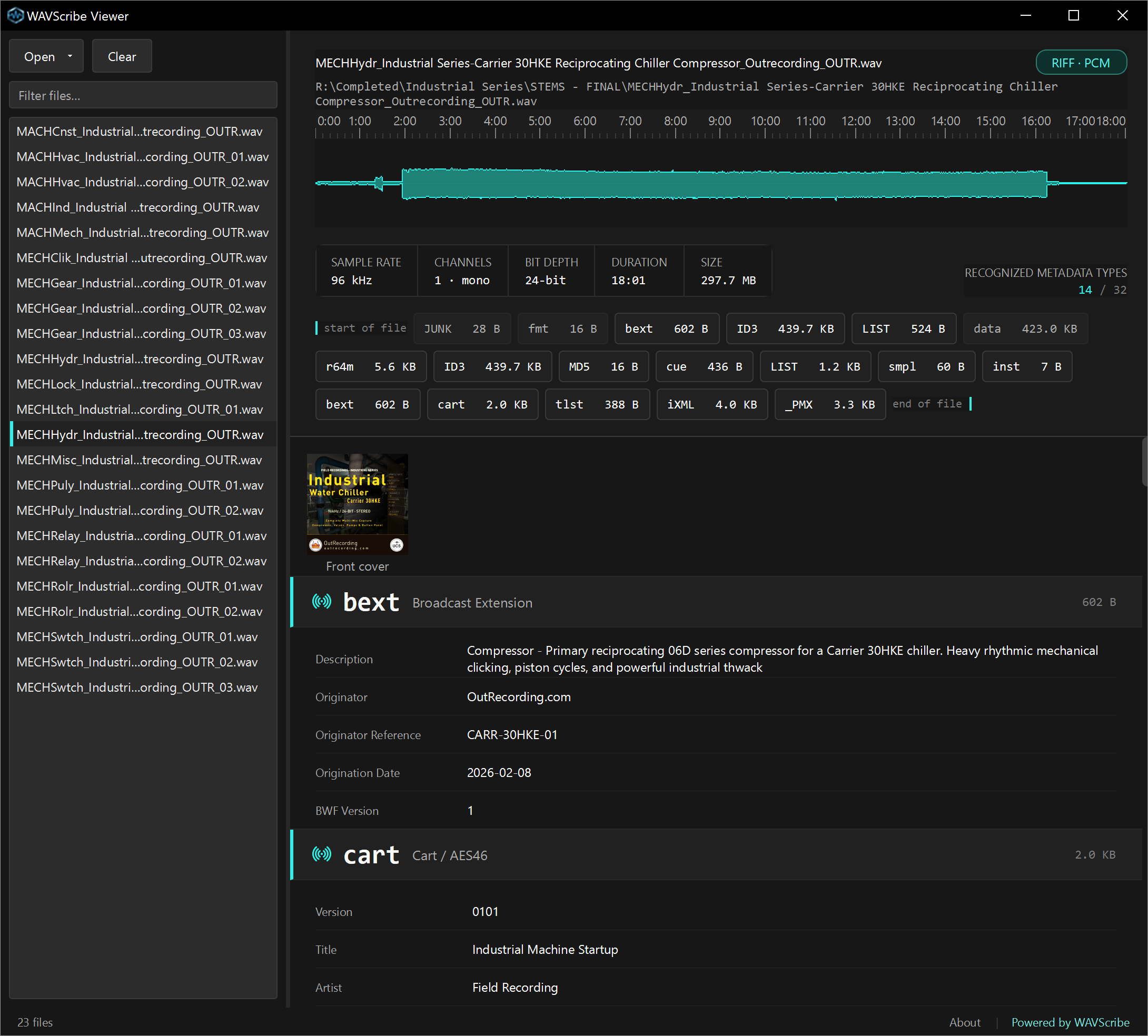
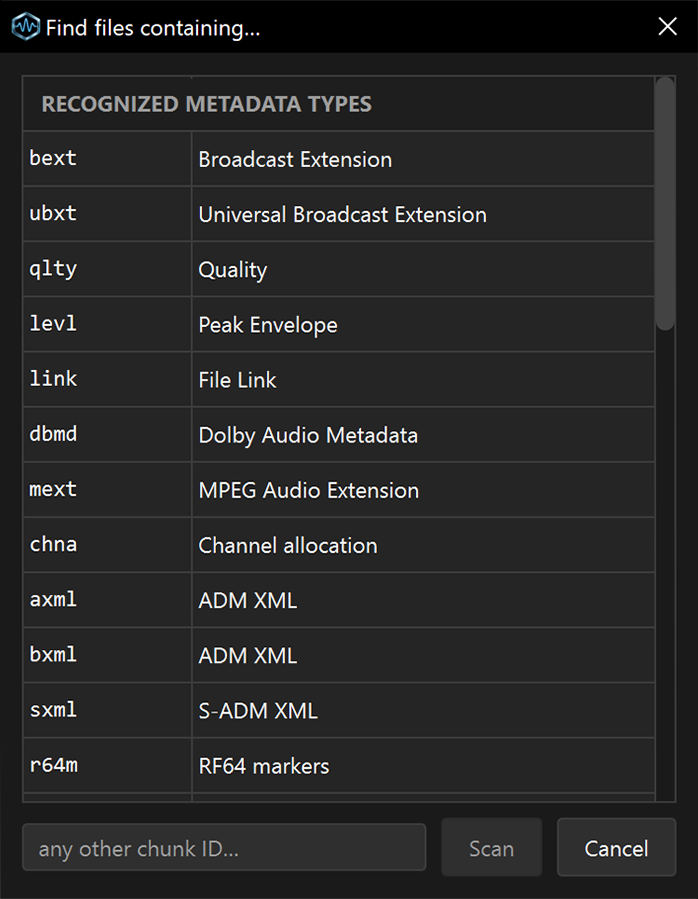
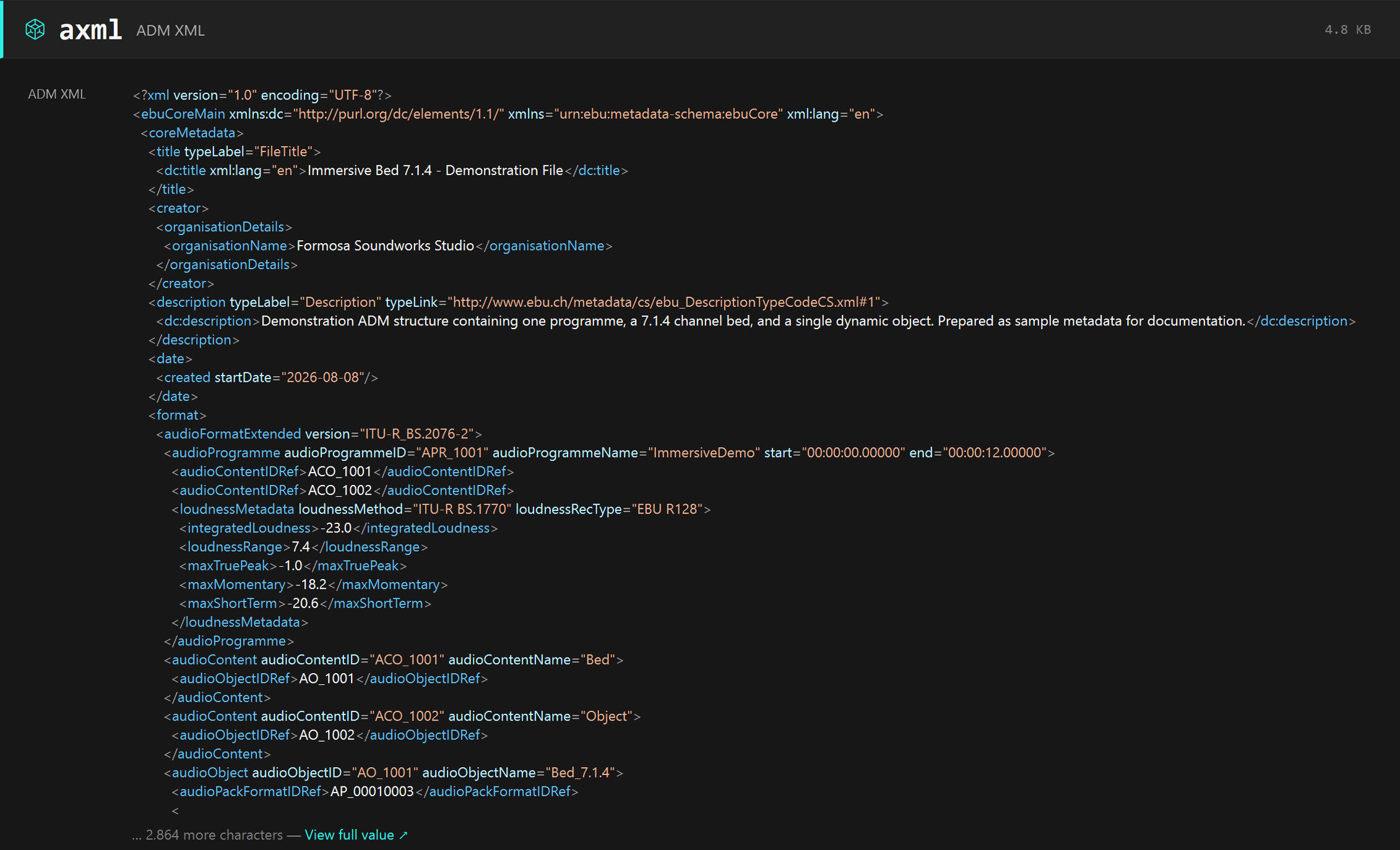
A free companion, WAVScribe Viewer, is also available at wavscribe.com/viewer. It is a read-only inspector that decodes 32 chunk types, shows a chunk map and waveform, and can scan for files that contain or lack a given chunk.
WAVScribe runs on Windows 10 and 11 (64-bit). A license covers two computers and includes free updates throughout version 1. A 7-day trial of the full app, with no feature limits, is available at wavscribe.com.
About
WAVScribe is developed by Formosa Soundworks Studio, a one-person studio in Kaohsiung, Taiwan. The developer is a field recordist and has run a voiceover studio there for more than 15 years.
Press kit: wavscribe.com/press
Contact: news@wavscribe.com
WAVScribe - copy-ready descriptions
WAVScribe is a WAV metadata editor for Windows that writes BWF, iXML, XMP, LIST/INFO and ID3 metadata in one pass, for one file or a whole library.
WAVScribe is a WAV metadata editor for Windows built for library-scale work for sound designers, field recordists, game audio, and audio professionals. A field filled once is written to every place in the file where other tools look for it - BWF/bext, iXML (including the ASWG and Steinberg extensions), XMP, LIST/INFO and ID3v2 - in one pass, for a single file or several folders. Batch tools include find and replace with regex, saved templates, batch edit, a spreadsheet round-trip with 88 columns, and a batch renamer for the Universal Category System, which is fully optional. Conflict detection shows where the same field disagrees across chunks and lets the user choose which value wins. Saves are all-or-nothing, and anything in the file WAVScribe does not edit passes through untouched. US$99 one-time purchase, 7-day trial of the full app.
WAVScribe - fact sheet
- Product
- WAVScribe 1.0
- Released
- October 20, 2026
- Platform
- Windows 10 (64-bit, version 1809 or later) and Windows 11
- Price
- US$99, one-time purchase, perpetual license
- Activations
- 2 computers per license
- Updates
- Free throughout version 1
- Trial
- 7 days, full application, no feature limits
- Metadata written
- BWF/bext, iXML (native, USER block, ASWG, Steinberg), XMP, LIST/INFO, ID3v2 (including artwork)
- File types
- WAV, RF64/BW64
- Batch
- Tested at 101,000 files
- Spreadsheet round-trip
- 88 columns, XLSX and CSV
- UCS
- v8.2.1 built in, 753 category entries, 82 top-level categories, fully optional
- Conflict detection
- Per-field, values shown side by side, user chooses
- Install size
- About 150 MB
- Account
- None. No cloud - files never leave your computer; internet is only for activation, a periodic license check, and update checks.
- Tested hardware
- Ryzen 7 3800X / 48 GB / SATA SSD / Windows 10 64-bit; Intel Core i5-10300H laptop / 8 GB / NVMe SSD / Windows 11 64-bit
- Developer
- Formosa Soundworks Studio, Kaohsiung, Taiwan
- Purchase and trial
- wavscribe.com
WAVScribe - images
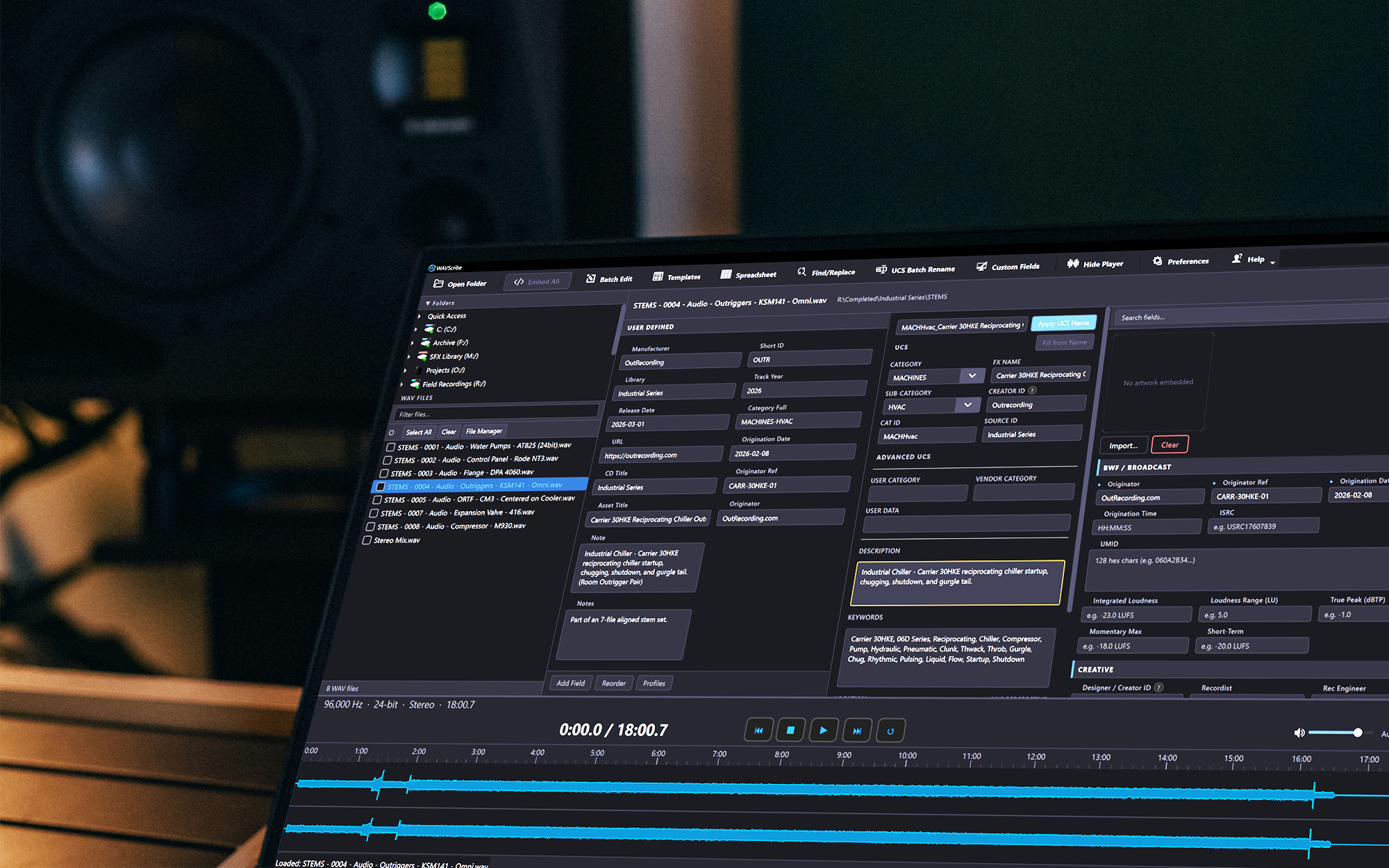
Download PNG · 2000 × 1250 · 2.3 MB
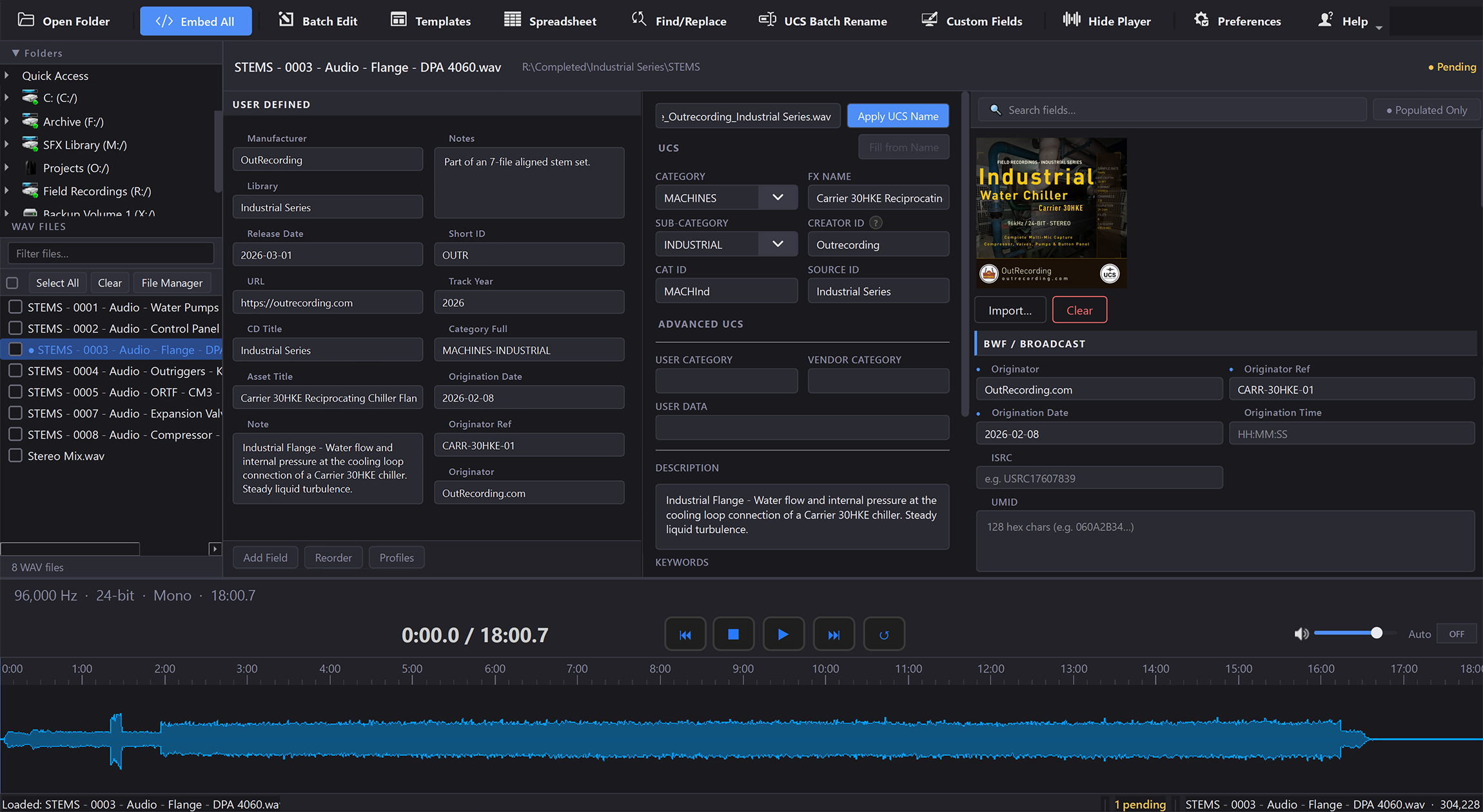
Download PNG · 2300 × 1260 · 840 KB
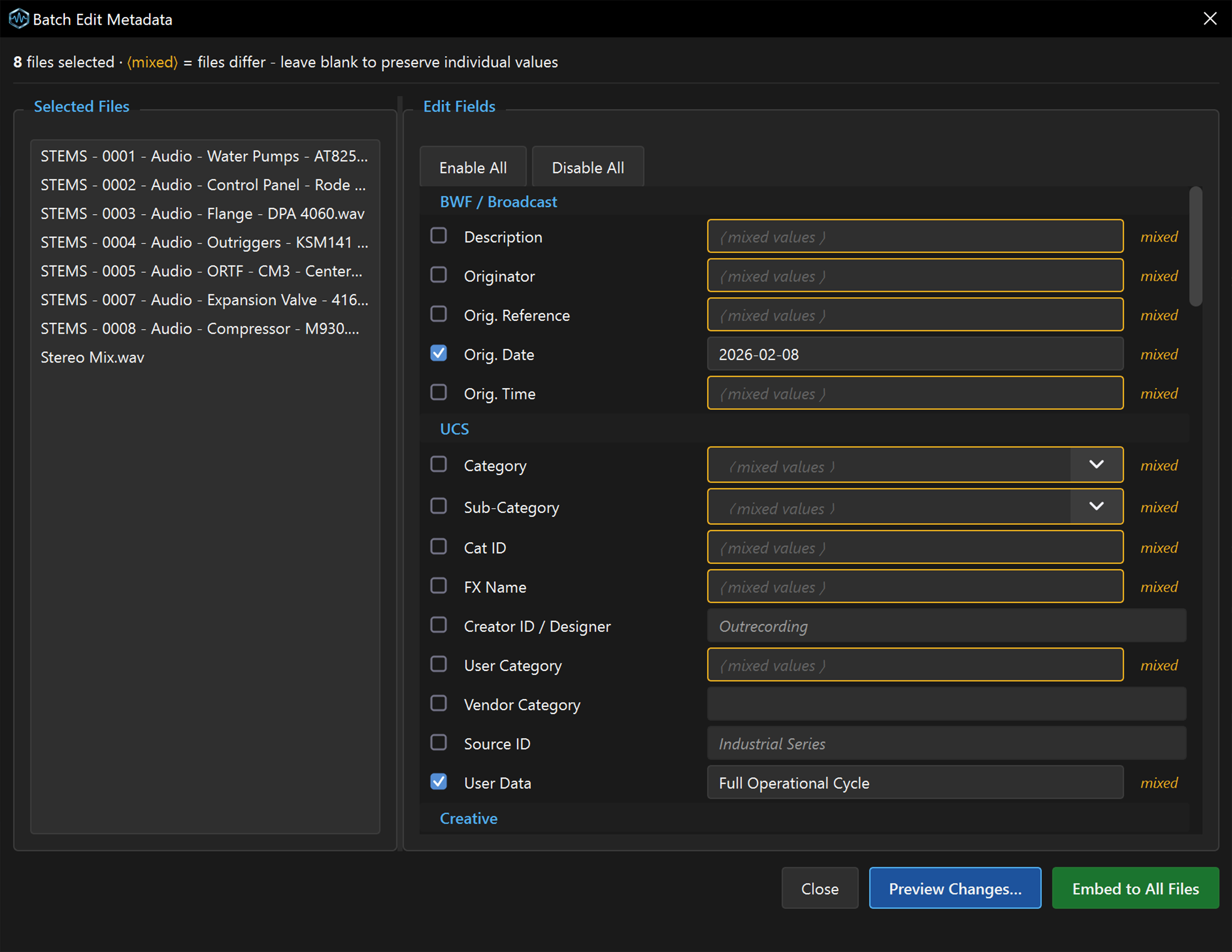
Download PNG · 2300 × 1778 · 545 KB
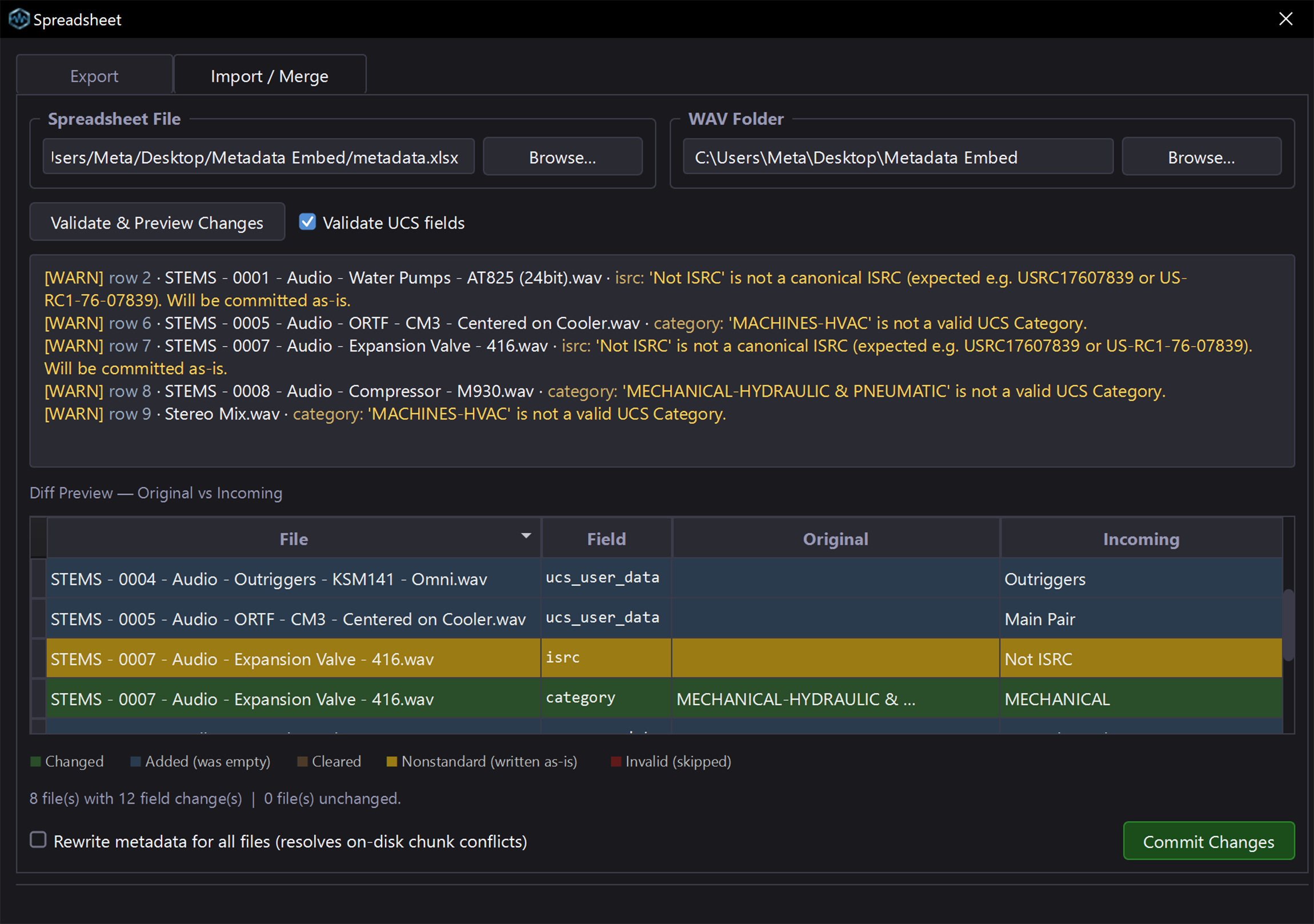
Download PNG · 2300 × 1617 · 776 KB
Download PNG · 2300 × 1234 · 453 KB

Download PNG · 512 × 512 · 308 KB
Download PNG · 256 × 256 · 92 KB

WAVScribe Viewer - free companion
WAVScribe Viewer is a free read-only inspector for Windows that shows everything inside a WAV file, chunk by chunk, and can search a whole folder tree for the chunks you're looking for.
WAVScribe Viewer scans a folder tree of WAV files and reports which files contain, or lack, a given metadata chunk - useful for checking a delivery, a purchased library, or your own archive before anything goes wrong downstream. For any single file it decodes 32 chunk types, draws a chunk map and a true-amplitude waveform, and shows embedded artwork. It is read-only: no playback, no writing, or network access. Free download at wavscribe.com/viewer.
WAVScribe Viewer is a free Windows utility that opens a WAV file and shows what is actually inside it: every metadata chunk it can decode (32 types), a chunk map, a true-amplitude waveform, and any embedded artwork. Point it at a folder and it will scan the whole tree and tell you which files carry a given chunk. It reads WAV, RF64/BW64 and RIFX files, identifying the format from the file itself rather than the extension. It never writes to a file and never goes online. Free download at wavscribe.com/viewer.
Fact sheet
- Product
- WAVScribe Viewer 1.0
- Price
- Free
- Platform
- Windows 10 and 11 (64-bit)
- Reads
- WAV, RF64/BW64, RIFX (detected from the file’s contents, not the extension)
- Chunk types decoded
- 32
- Folder scan
- Recursive, tested to 100,000 files
- Display
- Chunk map, true-amplitude waveform, embedded artwork
- Does not
- Play audio, write to files, connect to the network, require an account
- Download
- wavscribe.com/viewer
Images
Download PNG · 2180 × 1968 · 230 KB
Download PNG · 698 × 899 · 139 KB
Download PNG · 2262 × 1374 · 615 KB
About the developer

Download JPG · 2320 × 2320 · 1.9 MB
WAVScribe and WAVScribe Viewer are developed by Formosa Soundworks Studio, a one-person studio in Kaohsiung, Taiwan. The developer is a field recordist and has run a voiceover studio there for more than 15 years.
Contact
Questions, review licenses and interview requests: news@wavscribe.com. Replies come from the developer.